Every company approaches corporate training in their own way. Some love a structured curriculum, while others are happy to let employees “choose their own adventure”.
Either way, it’s the tools in place that ultimately decide how teams engage with corporate training in the workplace. But this is also where things can get a little confusing. People toss around terms like LMS (Learning Management System), LXP (Learning Experience Platform), and learning portal as if they’re the same thing, but they really aren’t. Each corporate training platform does a very specific job and supports your team in a unique way.

The right system for your organization depends on your goals and how your team operates. If you pick a tool that doesn’t gel with your culture, training can be clunky and disconnected. Not to mention plain annoying to manage.
Below, we break down how each option works in real life scenarios, including where they excel and where they might cause friction. We’ve also included a quick checklist to help you decide which direction is best for your organization before you commit to a platform.
What is a Learning Experience Platform (LXP) in Corporate Training?
Learning’s an open-ended experience with an LXP. Rather than checking off a list of assigned courses, employees are encouraged to explore what interests them. For example, a skill they want to sharpen or training that supports a long-term career goal.
The engine behind this learning method is usually AI. It works a bit like Netflix or Spotify.It looks at what employees are interested in and what you’ve already done and suggests relevant content they’re likely to want to learn more about.
In this way, an LXP gives employees the space to grow over time by providing them access to the knowledge they need to get where they want to be.

When does an LXP work best?
- Leadership development programs
- Soft skills training
- Career progression and upskilling
- Knowledge sharing across teams
- Continuous professional development
- Encouraging a learning culture beyond compliance
What are the training limitations of Learning Experience Platforms (LXP)?
- Lack of structure: Since the learning is self-directed, some people might get a little lost without a clear to-do list. And if a course isn’t clearly marked as mandatory, it can get buried or ignored entirely.
- Compliance tracking can be harder: An LXP alone may not provide enough structured tracking for some organizations. For instance, some employers need strict documentation for audits or regulatory purposes.
- Engagement varies by employee: This system works best when people are motivated to learn. Without that drive, some users may browse without fully committing to skill development.
What is a learning portal?

This is a central hub for videos, slide decks, PDFs, or meeting recordings – all neatly organized in one spot.
The big difference here is that there are no AI-generated suggestions. An employee logs in, grabs the resource they need and gets right back to work.
For teams that just need a reliable, no-frills way to store their training, this setup is refreshingly simple. It keeps everything in one place without the extra features and complexity that come with a fully managed corporate training platform.
But keep in mind that because tracking and engagement tools are limited, measuring training effectiveness is more challenging compared to structured systems.
When does a learning portal work best?
- Housing recorded training sessions
- Sharing internal documentation and SOPs
- Storing product knowledge materials
- Providing quick-reference guides
- Supporting optional learning resources
- Small teams that don’t require formal compliance tracking

What are the limitations of learning portals?
- It offers limited visibility: You typically won’t get detailed insights into who has accessed or completed specific materials. This makes it harder to monitor individual employee development across the team.
- It relies on employee initiative: Since nothing is usually assigned automatically, training depends on people choosing to log in and use it. Important resources can go unnoticed if there’s no structure around them.
- It can become disorganized over time: Without regular upkeep, portals can slowly fill up with outdated files and duplicate content. What starts as a clean hub can turn into a cluttered archive if it isn’t maintained carefully.
What is a Learning Management System (LMS) in Corporate Training?
A Learning Management System (LMS) is software that helps organisations deliver and manage training online for employee development. It allows businesses to assign courses, track employee progress, and see who has completed required training, all in one place.
Learning follows a defined path with an LMS. This structure assigns courses based on employees’ roles, and their progress is logged automatically.
For a manager, this is a lifesaver. It takes the uncertainty out of compliance because you can see who’s finished their mandatory training and who needs a nudge before the deadline hits.

When does an LMS work best?
This approach works especially well for:
- Health and safety training
- Data protection and GDPR courses
- Anti-harassment and workplace conduct training
- Onboarding programs for new hires
- Industry certifications and renewals
Any compliance training program tied to legal or regulatory requirements can be structured and monitored through an LMS.
The regulatory risk of getting training wrong
Missed deadlines, expired certifications, or patchy records can quickly become a problem during an audit. In some cases, that can mean fines or reputational damage.
If you can’t clearly show who completed what – and when – it’s hard to prove you’ve met your obligations. That’s why many companies choose structured systems with solid reporting, rather than relying on spreadsheets or manual follow-ups.
What are the training limitations of an LMS?
- It can be rigid: Because an LMS is built around structure and assigned courses, learning can sometimes feel fixed and formal. Employees complete the training because it’s required, not necessarily because they’re personally engaged with it.
- It doesn’t always support curiosity: An LMS is excellent for ticking off mandatory courses, but it isn’t always designed for exploring new skills outside assigned training. If someone wants to go beyond what’s required, the corporate training system may not naturally encourage that.
- Completion doesn’t always mean understanding: When the focus is heavily on tracking who finished what, it’s easy to overlook whether the content is sticking. Training can start to feel like something to get through rather than something to apply.

LMS vs LXP vs Learning Portal: What’s the difference – a quick overview
When people talk about LMS vs LXP, they’re usually trying to figure out one thing: do we need structure, do we need flexibility, or do we simply need a place to store content?
Put simply:
- An LMS makes sure the required training gets done
- An LXP helps people learn what they’re curious about next
- A learning portal gives teams a central place to access materials when they need them
An LMS gives you structure and visibility. An LXP gives learners more choice and ownership.
Keep in mind, most organizations aren’t choosing one because it’s better than the other. They’re choosing based on what they need most right now. If compliance and reporting are critical, an LMS is the way to go. But if building a culture of ongoing development is the goal, an LXP can support that.
And if you simply need a reliable place to house training materials without heavy tracking, a learning portal may be enough.
Hybrid LMS and LXP approaches in corporate training
As corporate training evolves, many organizations are realizing they don’t want to choose between structure and flexibility – they want both.
That’s where hybrid LMS/LXP approaches come in.
A hybrid setup combines the structured tracking and compliance capabilities of a LMS with the personalization and content discovery features you get with an LXP.
In practice, this means:
- Mandatory training is assigned and tracked
- Compliance reporting is automated
- Certifications and deadlines are monitored
- Employees can also explore recommended learning paths
- AI-driven suggestions support skill development
- Managers still maintain visibility
For organizations operating in regulated industries (but also focused on engagement and long-term growth) this blended approach can offer the best of both worlds.
Quick checklist: which training system fits your organization?

Before committing to a corporate training system, ask yourself these questions to help your organization’s learning and development needs:
1. Is compliance a top priority?
- Do you need clear records of who completed mandatory training?
- Are audits, certifications, or regulatory deadlines part of your reality?
- Do managers need instant visibility into online courses and learning materials?
If yes, LMS software is likely the strongest fit.
2. Are you trying to build a learning culture?
- Do you want employees to explore skills and identify training gaps beyond what’s required?
- Is professional development just as important as compliance?
- Do you value self-directed learning and career growth?
If that sounds like you, an LXP may be the better choice.
3. Do you mainly need a simple content hub?
- Are you just looking for a central place to store training materials?
- Is tracking less important than easy access?
- Do employees mostly search for resources when they need them?
In that case, a learning portal might be enough.
Where Does LearnRight Fit in?
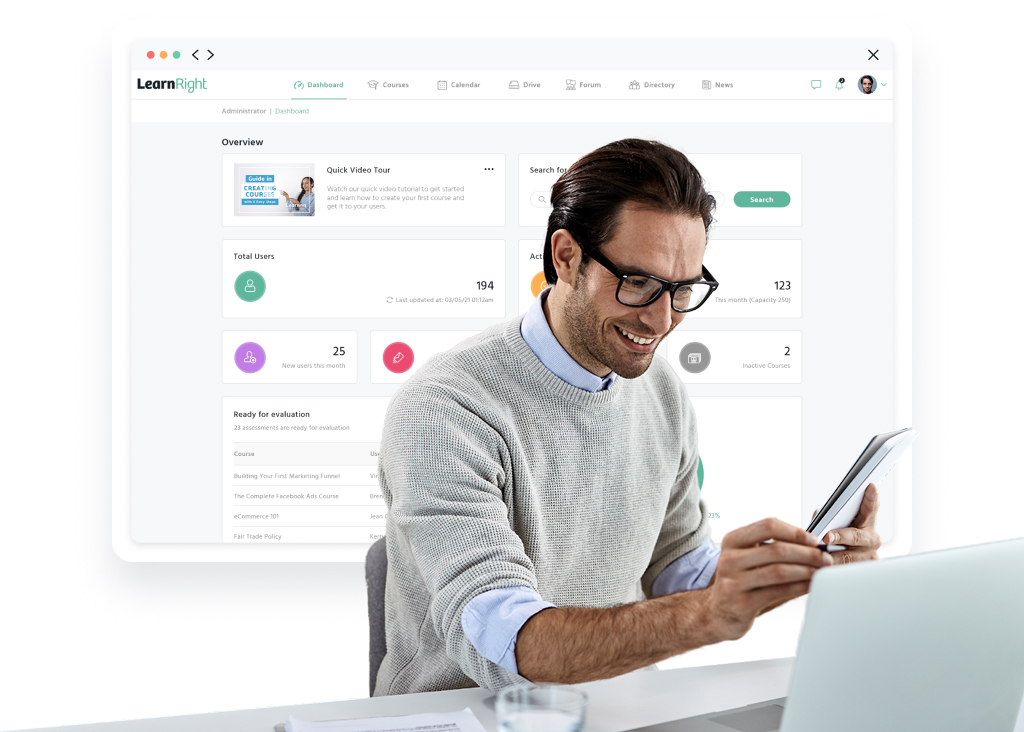
LearnRight is built as an LMS at its core – which means you get the structure, tracking, and compliance visibility that most organizations rely on.
Courses can be assigned by role, deadlines are clear, and managers have instant access to completion data. If audits, ISO standards, certifications, or industry regulations matter to you, that foundation isn’t optional – it’s essential.
At the same time, LearnRight supports structured training while strengthening your wider learning and development programs through:
- Flexible online learning paths that go beyond basic assignments
- Interactive tools that deliver educational courses that engage audiences
- Mobile-friendly access for remote learning and training that fits into the workday naturally
- Clear reporting that shows more than just who clicked finish
In other words, you get the accountability of an LMS without sacrificing the learner experience.
For organizations that need compliance covered but still want training to feel relevant and practical, our corporate training software strikes that balance. It keeps the structure where it matters and builds in the flexibility teams expect from modern workplace learning.
If you’re looking for a system that supports both mandatory training and meaningful development, it’s worth seeing how LearnRight works in practice. Book your demo or request more information about pricing.
Frequently Asked Questions

What are some examples of corporate training for employees?
Corporate training can cover a wide range of topics depending on the industry and company goals. Common examples include onboarding programs for new hires, health and safety training, data protection or GDPR courses, anti-harassment training, leadership development, technical skills training, and customer service programs.
How to improve employee performance with corporate training?
When employees have access to structured corporate training, they’re more capable in their roles. The right training system helps close skill gaps, reinforce standards, support ongoing development, and much more.
This steady investment in corporate training is what turns average performance into consistent, reliable results.
Do small businesses need corporate training software?
Yes. Small teams benefit from structured corporate training just as much as larger organizations do.
As soon as you start adding even a few new employees, managing training and compliance manually gets risky. A centralized corporate training system protects your business from compliance gaps or missed requirements.
How to choose the best corporate learning platform
The best platform is the one that fits the way your team works. So, don’t get too caught up on the feature lists. Instead, think about your daily training needs. A good place to start is by asking yourself a few simple questions:
- Do we need strict compliance tracking?
- Are audits, certifications, or regulatory requirements part of our industry?
- Do we want to encourage self-directed learning and long-term development?
- How important is detailed reporting and visibility for managers?
Your answers will usually make the decision clearer. If compliance is key, an LMS makes sense. If flexibility matters more, look at an LXP. And if you simply need a place to store and share content, a learning portal may be all you need.
How to choose an LMS?

Start by getting clear on what you actually need from your corporate training system. Not every LMS is built the same, so your priorities matter.
Look for:
- Strong compliance tracking: Can you assign mandatory courses and monitor completion easily?
- Clear reporting: Are audit-ready reports available at a glance?
- Ease of use: Is it simple for employees to navigate and for managers to administer?
- Scalability: Will it still work as your team grows?
- Integrations: Does it connect with your HR or payroll systems?
- Mobile access: Can employees complete training from anywhere?
More than anything, make sure you’re choosing a system that fits how your organization works rather than one you’ve got to bend your processes around.
Can an LMS reduce compliance risk?
Absolutely. They provide documented proof of completed training, deadlines, and certifications. This is essential during audits and inspections where a lack of structured tracking leads to fines and reputational damage.